
Regitup provides one-stop trademark registration services designed to simplify the application process and help users complete their trademark filings with ease.
Account Requirement
You must be logged in to your account before submitting an application.
If you do not yet have an account, the system will prompt you to register and log in during the application process.
You may also refer to the Create Account Guide for detailed instructions.
Accessing the Trademark Application Page
You can start an application through any of the following methods:
Click "Start Registration" after completing a trademark search
Click "Register TM" in the top-right corner of the homepage
Navigate through the menu: Services > Trademark Registration > Register Now
Understanding Application Structure
Regitup allows a single trademark application to cover multiple jurisdictions. However, the same classes must be selected for every jurisdiction within the same application. If you wish to add or remove trademark classes in certain jurisdictions, a separate application must be submitted.
Examples :
📌 Trademark A: Hong Kong only ; Trademark B: Hong Kong and China
These are different trademark applications and must be submitted separately.
📌 Trademark A: Class 9 and Class 35 in China ; Trademark A: Class 35 only in Hong Kong
Since the class selections differ, separate applications are required.
📌 Trademark A: Class 9 and Class 35 in China ; Trademark A: Class 35 and Class 45 in Hong Kong
Although the trademark is the same, separate applications are required because the class combinations differ.
💡 The China National Intellectual Property Administration examines logos, Chinese wording and English wording separately. To reduce the risk of one element affecting the entire application, it is generally advisable to file logos and word marks separately.
Step 1: Select a Plan
Choose the plan that best suits your needs.
Self-Service Registration : Ideal for applicants who are familiar with the trademark registration process and wish to manage the application independently.
Professional Registration : Includes support from a professional team to improve filing accuracy and reduce administrative burden.
Premium Registration : Provides comprehensive support and enhanced services for businesses that value brand strategy and long-term trademark protection.
If you would like to assess potential risks before filing, you may choose a consultation service first.
Basic Consultation : Suitable for applicants who are still evaluating trademark availability and risks.
Advanced Consultation : Provides comprehensive analysis and protection strategies for applicants seeking a more thorough brand protection plan.
💡 If you submit a trademark application through Regitup within 90 days after the consultation, the consultation fee may be rebated toward your registration package.
If you are unsure which option to choose, please refer to the Plan Comparison Guide or How Are Trademark Fees Calculated?
Step 2: Select Region(s)
Choose the region(s) where you wish to register your trademark.
Different region(s) involve:
Different filing fees
Different examination procedures and processing timelines
We recommend selecting regions based on your target markets and business expansion plans.
Self-Service Registration
Currently available for:
Hong Kong
China
Taiwan
Professional Registration / Premium Registration
Available for:
Asia-Pacific
Hong Kong
Mainland China
Taiwan
Japan
South Korea
Singapore
Malaysia
Vietnam
Australia
New Zealand
Europe
European Union
United Kingdom
Germany
Switzerland
North America
Canada
Step 3: Select Class(es)
Choose the classes that cover your goods and/or services.
You may use our smart selection tool or manually select classes.
For more information, please refer to the Nice Classification Guide.
Smart Selection Tool
Based on the Hong Kong Standard Industrial Classification, the platform recommends relevant trademark classes when you enter an industry keyword.
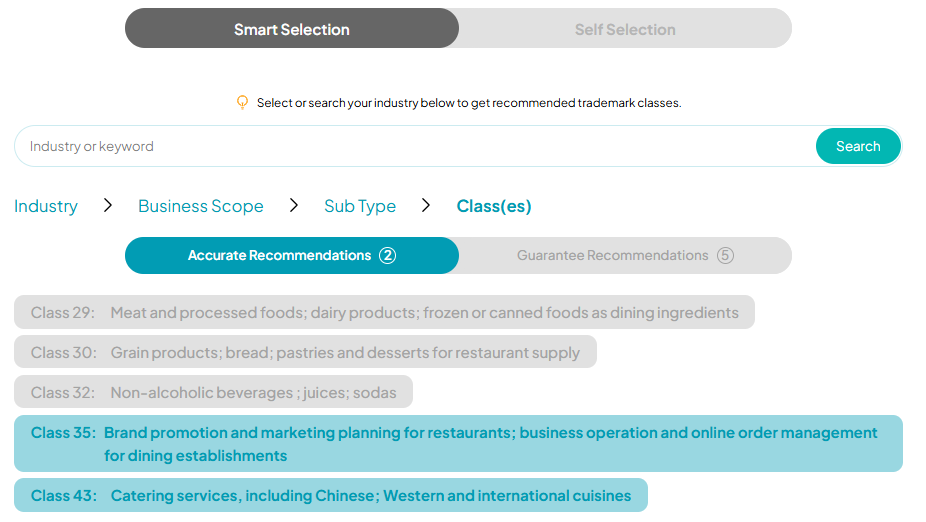
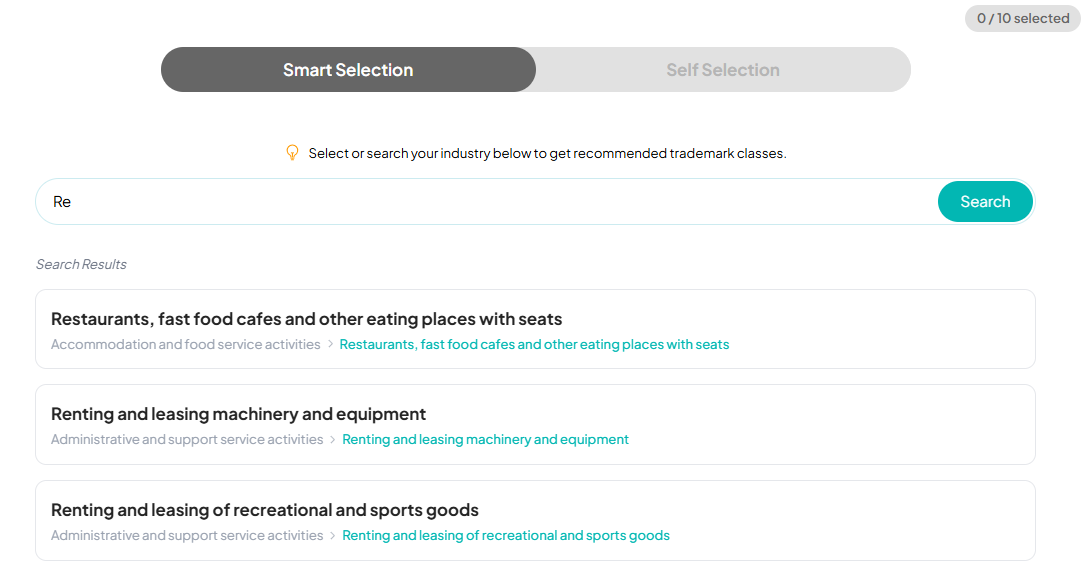 Two recommendation modes are available:
Accurate Recommendation : Classes most directly related to your business
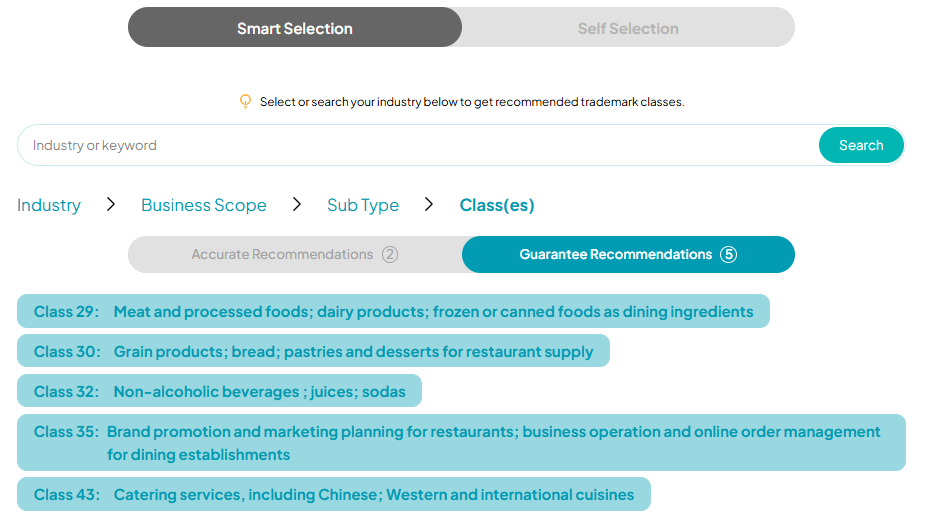
 Guarantee Recommendation : Additional classes that may provide broader trademark protection
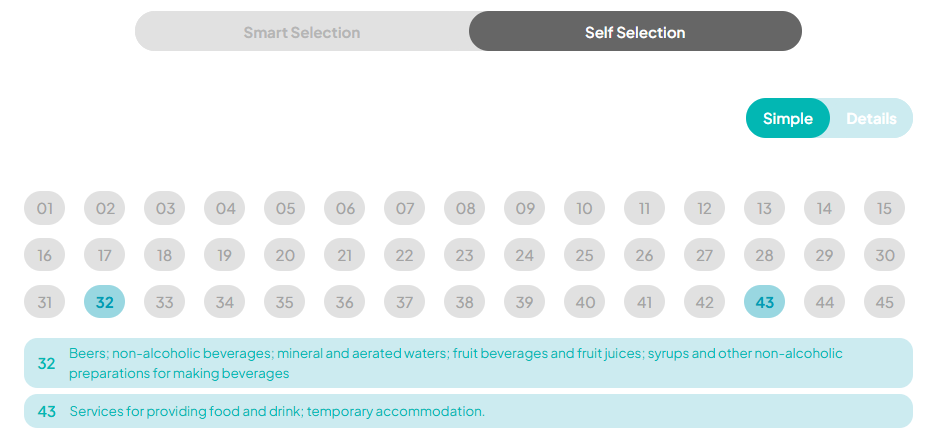
 Self Selection
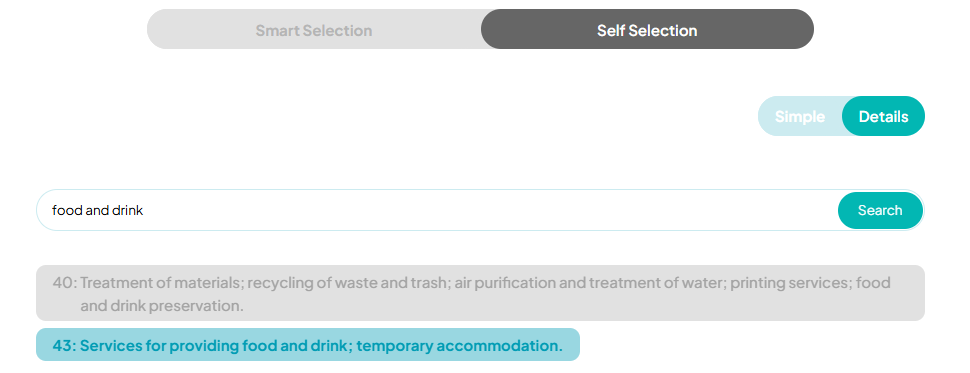
If you already know which classes you need, you may select them directly.
Simple View : Click a class number to view the general scope of goods or services covered
 Detailed View : Enter keywords to search for specific goods or services
Step 4: Complete the Application Information
Contact Information
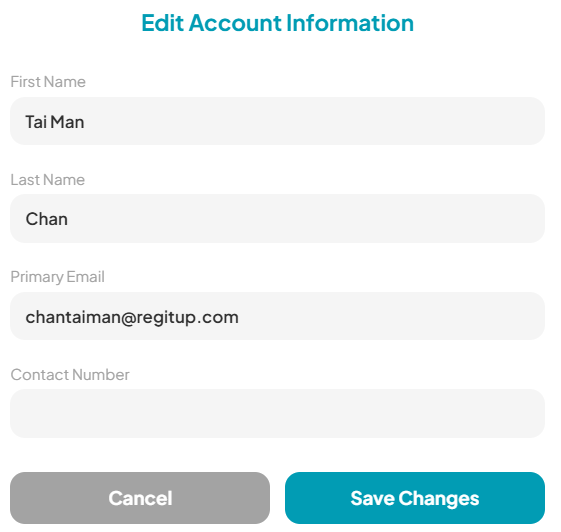
Provide the contact details that will appear on invoices and receipts.
After logging in, your name and email address will be filled automatically.
You may update your profile information under: My Account > Profile > Edit
 Applicant / Company Information
The applicant is the legal owner of the trademark. If you are unsure whether to file under an individual's name or a company's name, please refer to our related guide.
As language requirements vary by jurisdiction, we recommend providing both Chinese and English information whenever possible.
Applicant / Company Name (English) - Required for applications in Europe, North America, and other English-speaking jurisdictions
Applicant / Company Name (Chinese) - Required for Mainland China and Taiwan applications
Applicant Nature
Individual - Upload personal identification documents
Limited Company - Upload a Business Registration Certificate
Unlimited Company / Partnership - Upload identification documents of the owner(s) or partner(s) and the Business Registration Certificate
Other Entity Types - Upload relevant company registration documents
Place of Incorporation - Refers to the jurisdiction where the company was incorporated or where the identification document was issued
Applicant Address (English) - A complete English address is recommended. For companies, it should match the registered address on official documents
Applicant Address (Chinese) - A complete Chinese address is recommended. For companies, it should match the registered address on official documents
Trademark Information
Trademark Name - For word marks, please enter the trademark text. For logo marks containing words, please enter all text appearing in the logo. If the logo does not contain any text, please enter "logo".
Trademark Logo - If you may use different colour versions in the future, we recommend filing a black-and-white version for greater flexibility
Generate Image - If you do not yet have a logo file, click "Generate Image" to create a text-based logo image using your trademark name
You may also refer to the article, “Separate or Combined Trademark Registration?”, to learn more about the different forms of trademark registration.
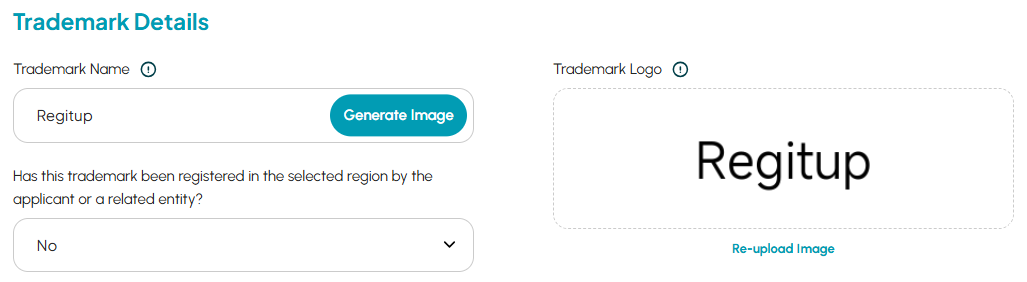 Previous Filing Question : Has the applicant, or any affiliated company, previously filed or registered this trademark in the selected jurisdiction(s)? - If the trademark has previously been filed or registered in the same jurisdiction (for example, Class 9 has already been registered and Class 35 is now being added), disclosure is recommended to reduce examination risks.
Registered Region(s) and Trademark No. - Provide details of any existing applications or registrations for verification and follow-up purposes
Contact Preference
If you select the Premium Registration plan, a complimentary consultation is included. Please indicate your preferred contact method.
Step 5: Review Your Order
Before making payment, please carefully review:
Application details
Fee breakdown
Terms and Conditions
💡 Please ensure all information is accurate. Amendments made after filing may incur additional fees and could affect the examination process.
Step 6: Complete Payment
After confirming your order, choose a payment method to complete the transaction.
Instant Payment
Orders are confirmed immediately after payment is received.
PayPal
Stripe
Deferred Payment
Payment can be completed within 15 days. You may view unpaid orders under : My Account > My Orders > Orders
Any bank or transaction charges must be borne by the customer. Please provide proof of payment after payment has been made.
FPS
Bank Transfer (including ATM cheque deposit)
⚠️ Your trademark application will only be processed after payment has been received and verified.
Tracking Your Application
After payment, you can track your application status and progress through : My Account > My Applications
For more information, please refer to the Application Status Guide.